
A good external meeting request makes the purpose and requested action clear. Formal wording cannot compensate for missing duration, time-zone, or location details.
For a new contact, first establish whether they are willing to meet. For someone who has already agreed, move directly to the scheduling details.
Match the request to the relationship
| Situation | Lead with |
|---|---|
| First meeting request | Who you are, the real reason for contacting them, and the purpose |
| Meeting already agreed | The agreed topic and candidate times |
| Visiting their office | The proposed location, number of visitors, and duration |
| Asking them to suggest times | Your constraints and a useful date range |
Do not invent a referral or previous conversation to make a template sound natural. Replace the introduction with your actual circumstances.
Example: requesting a first meeting
Subject: Meeting request about [topic]

Hi [name],

I am [name] from [organization].
[Briefly explain the actual reason for contacting them.]

Would you be open to a 30-minute video call
to discuss [specific purpose]?

If so, would any of these times work?
- [Date and start/end time]
- [Date and start/end time]
- [Date and start/end time]
All times are [time zone].

Please feel free to let me know if a meeting
would not be appropriate at this stage.

Best,
[Your name]
Depending on the relationship, it may be better to ask whether a meeting is welcome before sending dates. Avoid writing as though an unfamiliar recipient has already agreed.
Example: scheduling an agreed meeting
Subject: Scheduling our discussion about [topic]

Hi [name],

Following our conversation, here are some options
for a 60-minute video meeting:

- [Date and start/end time]
- [Date and start/end time]
- [Date and start/end time]
All times are [time zone].

Please let me know all the options that work.
If none are suitable, could you suggest two or three
times in the following week?

A reply by [date] would help us finalize arrangements.

Best,
[Your name]
Offer useful alternatives across days and time windows. If you offer a broad window, distinguish it from the meeting length: “Any 60-minute slot between 9 am and noon.”
For an office visit, allow for travel
A free hour in your calendar may not leave enough time to reach the venue. Check travel and preparation time before proposing an in-person appointment.
Confirm the intended office and visitor count: “We expect to visit your [location] office with two attendees. Please let us know if another location would be preferable.” Include reception instructions in the final confirmation.
Turn candidate times into a draft message
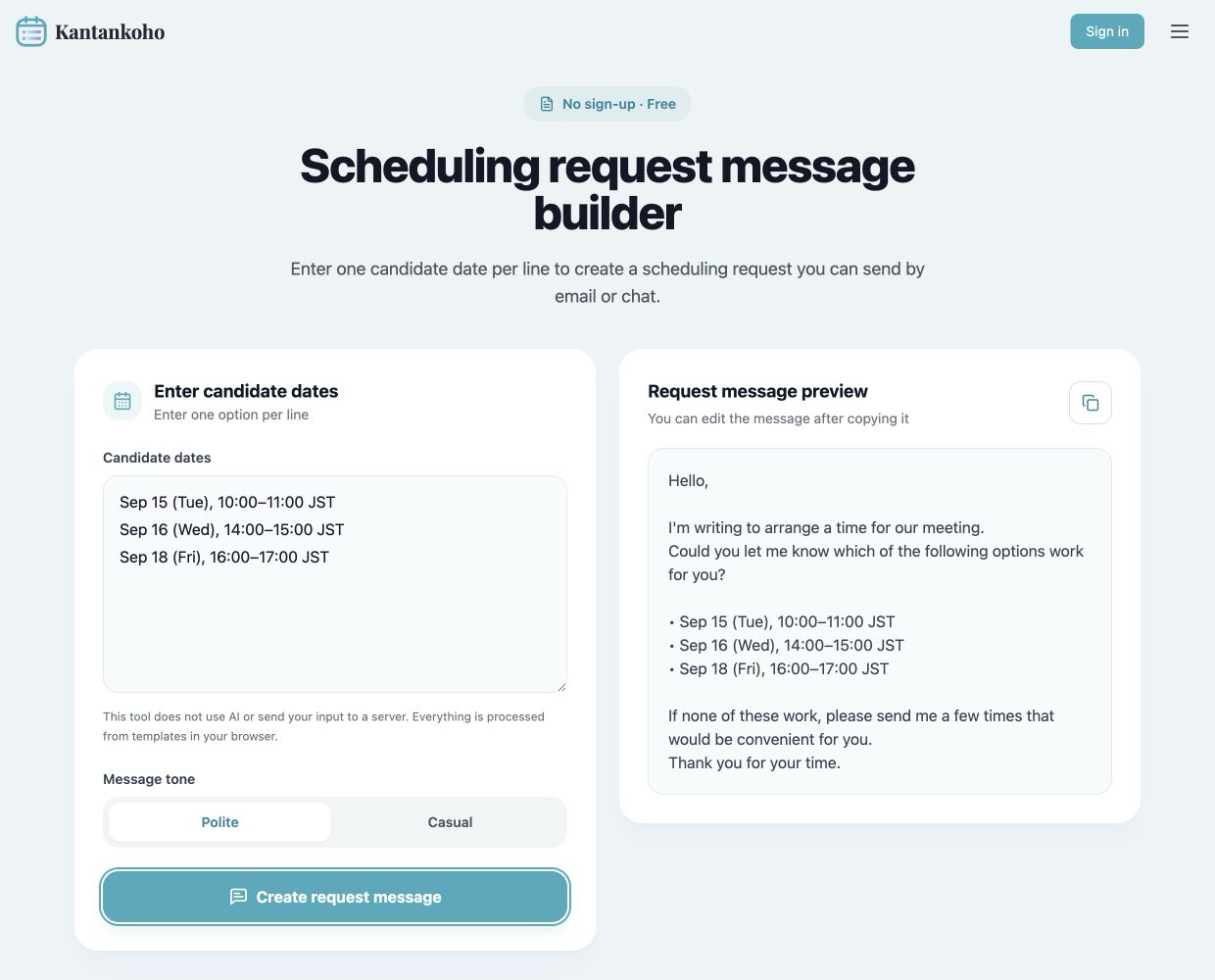
The scheduling request message builder accepts one candidate time per line and formats a polite or casual request.
 View full-size image (new tab)
Sample dates on the real tool. After copying, add the recipient's name, purpose, duration, time zone, and response deadline.
The tool uses templates. It does not verify that the dates are correct or decide whether the message fits the relationship. Review the result before sending it.
Offer an alternative to an external scheduling link
A shared response page can help collect several attendees' availability. Use a link-sharing message that explains what to enter.
Some organizations restrict external tools, so keep email replies available as a fallback. After a response, distinguish a preferred slot from a confirmed appointment and check with everyone required. The scheduling reply guide covers that next step.